
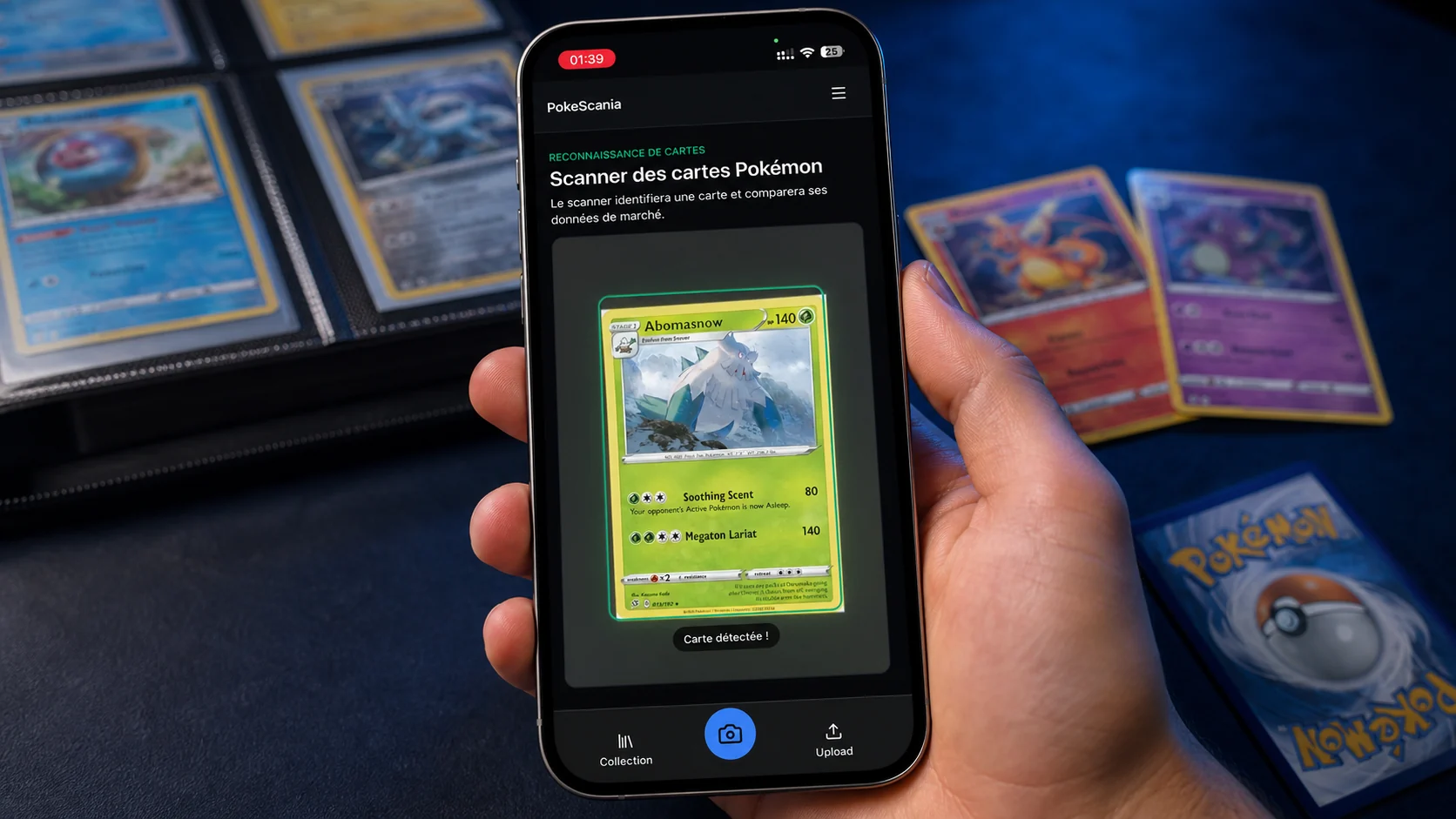
# Free Pokémon Card Scanner: Identify Any Card From a Photo
PokeScania lets you scan a Pokémon card with your phone camera or upload a photo in your browser. The scan is free and you do not need an account to try it. The result can show the card name, set, number, language, rarity and an available market price when that information exists. It returns the best matching card, not a promise of perfect recognition, so use the catalogue to confirm details.
Open the free card scanner and try a card from your collection.
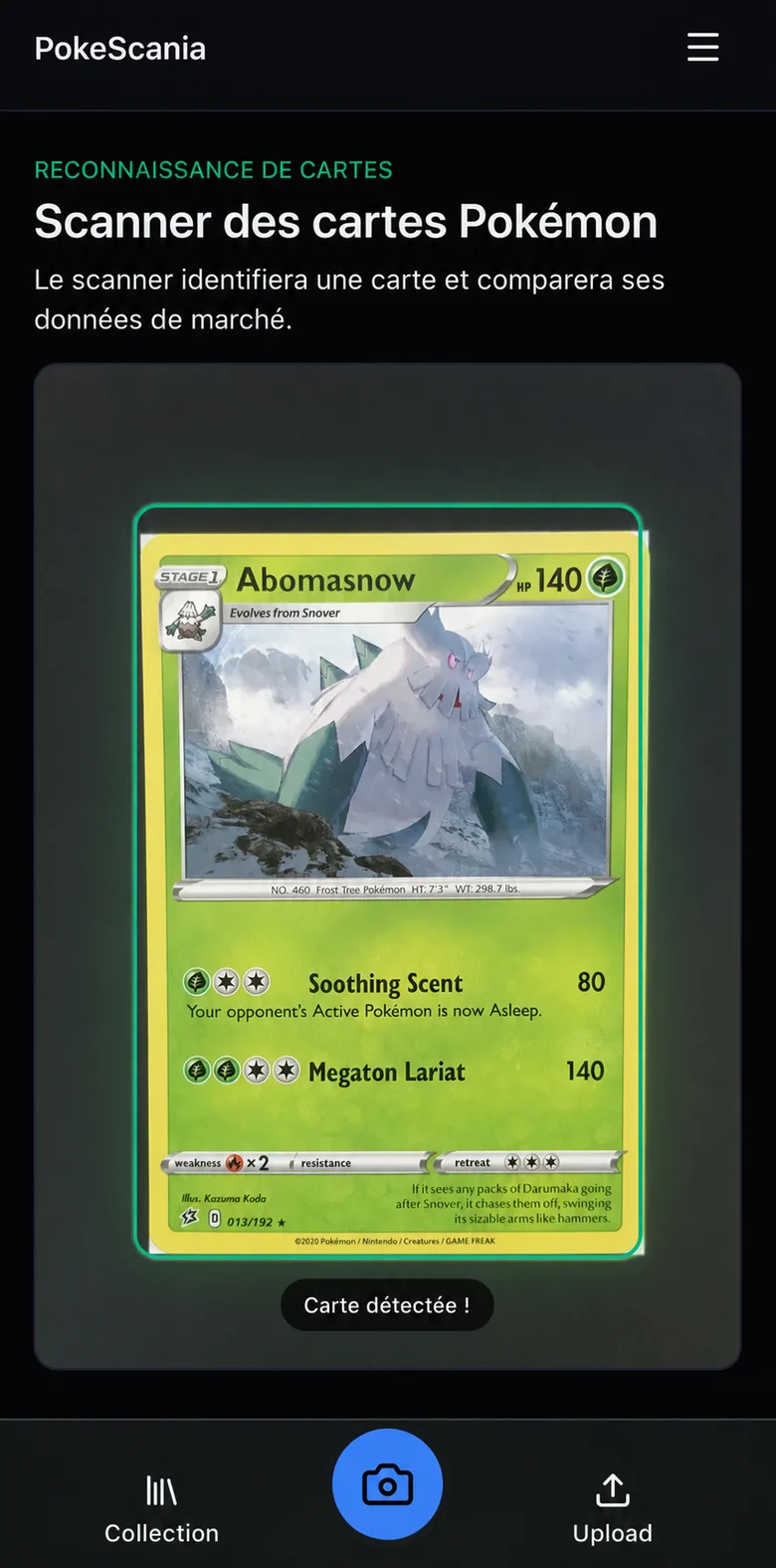
How to scan a Pokémon card in three steps
- Open the scanner. Go to the PokeScania scanner from your phone or computer.
- Use the camera or choose a photo. Allow camera access when prompted, or upload a clear image from your gallery.
- Frame the card and check the result. Keep the full card inside the guide, capture it, then review the likely match and its details.
You can scan quickly when you do not know the card name or set. If the result looks close but not exact, compare the artwork, number, language and set before adding it to a collection.
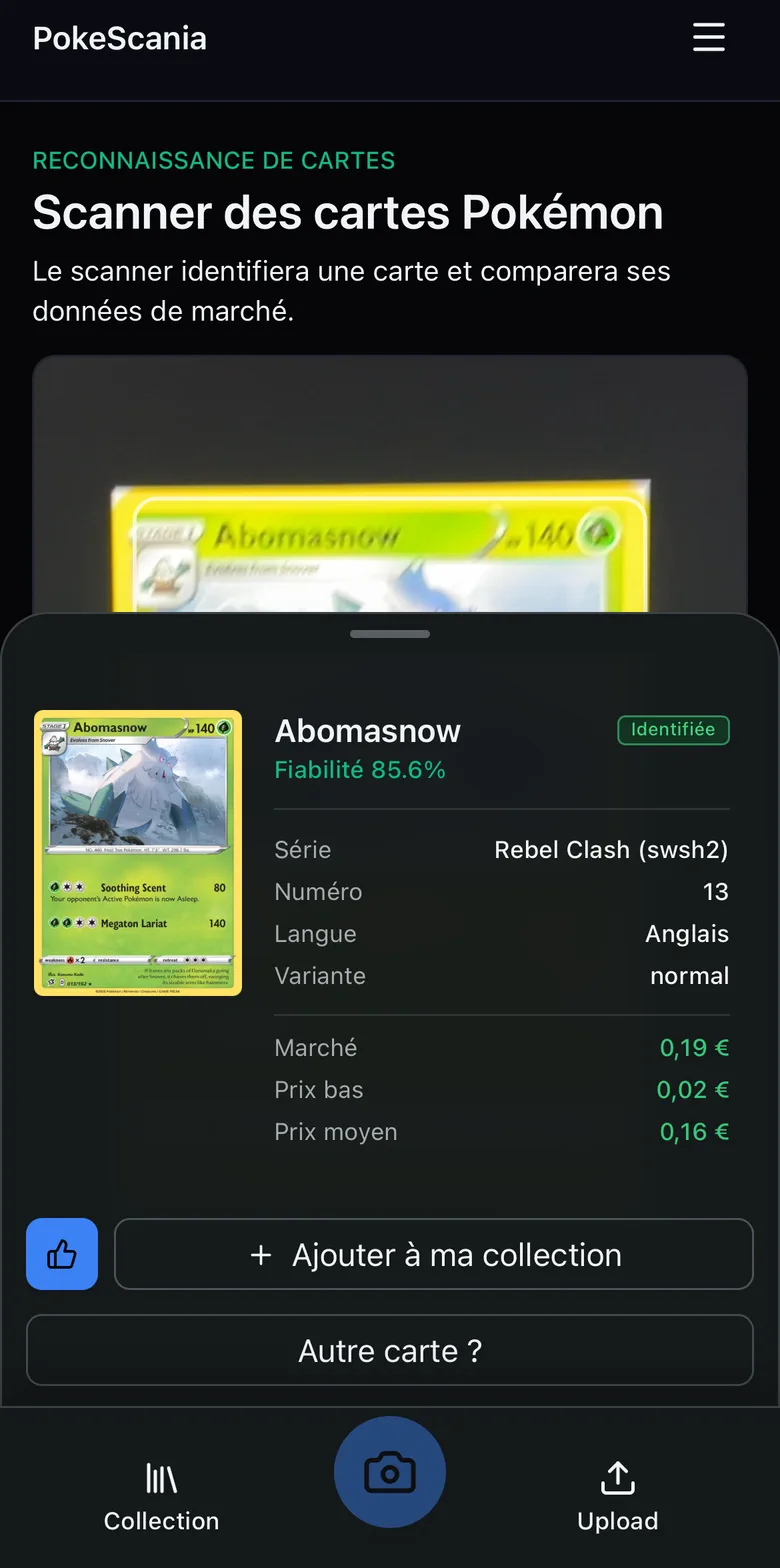
What information can the scanner recognize?
Depending on the quality of the image and the catalogue data available, a scan may identify:
- the Pokémon or trainer name.
- the expansion or set.
- the printed card number.
- the card language.
- a variant, rarity or finish.
- an available market price.
Prices are informational and can change. A missing price means that no price is available in the connected data, not that the card has no value. The scan helps narrow the search. It does not replace checking the exact printing.
How to get a better scan result
Small changes to the photo can make a large difference:
- use bright, even light rather than a direct flash.
- move away from strong reflections on holo foil or sleeves.
- show the complete card, including the edges.
- keep the image sharp and hold the camera parallel to the card.
- use a simple, contrasting background.
- keep fingers away from the name and card number.
- remove the card temporarily from a binder if its plastic creates reflections.
If the camera struggles, take a still photo from slightly farther away instead of zooming aggressively. A clean image with a visible number is usually more useful than a close crop with glare.
Why the set, number and language matter
Many cards share the same Pokémon, illustration theme or name. The set and number distinguish different printings, while the language separates editions that can have different availability and prices. A reverse holo, promo, parallel variant or special illustration may also need a closer look.
That is why the most useful scan result is a combination of fields rather than a name alone. Open the card catalogue to compare the artwork and details, or explore Pokémon card sets when you want to browse an expansion from beginning to end.
Scanner or manual search?
Use the scanner when the name or set is unknown, when you have several cards to review, or when you want a quick starting point. Manual search is useful for confirming a likely match, comparing variants, and browsing every card in a set. The two workflows work well together: scan first, then validate the result in the catalogue.
If you are deciding whether to protect a card, our guide to Pokémon card grading explains how to inspect centering, corners, edges and surface without pretending that PokeScania provides grading services.
Is the Pokémon card scanner free and account-free?
Yes. You can scan a card for free in your browser without creating an account. An account may be useful for features such as saving a collection, when those features are available, but it is not required for the basic scan. Your first step is simply to open the scanner and provide a camera image or photo.
Which card languages are supported?
The catalogue can include cards in English, French, German, Italian and Japanese. These are card languages, not interface languages. Your browser and PokeScania interface can use their own locale while you identify a card printed in another language.
Frequently asked questions
How do I scan a Pokémon card with my phone?
Open the scanner on your phone, allow camera access, place the whole card inside the frame and capture a sharp image. You can also upload a photo instead of using the live camera.
Can I identify a Pokémon card from a photo?
Yes. Upload a clear photo and PokeScania will suggest the best matching card. Compare the proposed set, number and language when more than one printing looks similar.
Is the Pokémon card scanner free?
The basic scan is free and works in a browser without an account.
Do I need an account?
No account is needed to scan. You may need one for collection features if you want to save cards.
Can it recognize holographic cards?
It can suggest a match, but glare and foil patterns can make recognition harder. Use diffuse light and check the proposed variant manually.
Can it identify older or foreign-language cards?
It can identify likely matches from supported catalogue languages, including English, French, German, Italian and Japanese. Older cards and unusual printings may need manual confirmation.
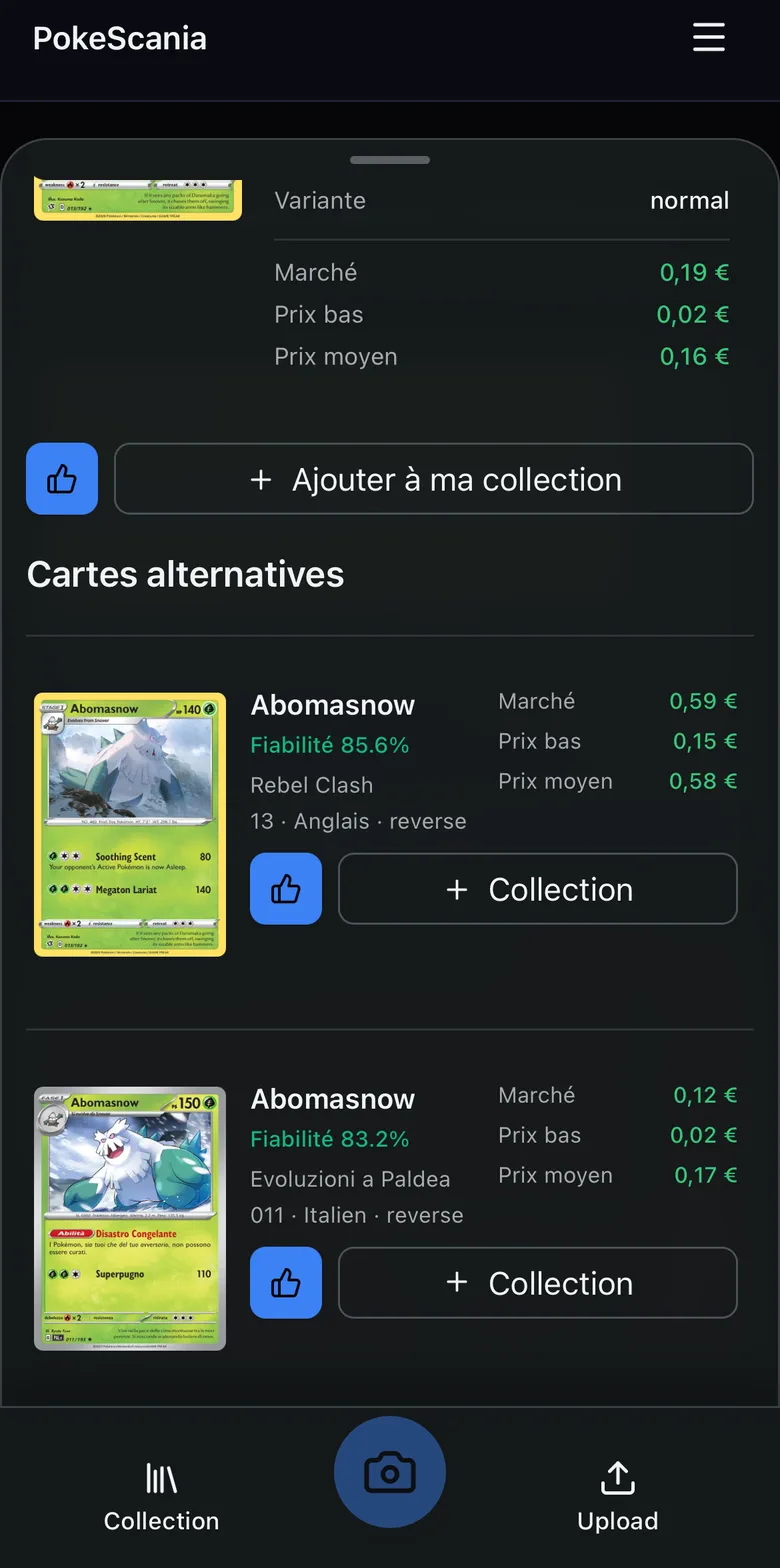
Why does the scanner show several possible matches?
Similar artwork, shared names and reflective surfaces can produce more than one plausible result. Use the card number, set, language and visible details to choose the closest match.
Do I need a Pokémon card identifier machine?
No. PokeScania works directly in your web browser, so you can use your phone camera or upload a photo without buying a physical card-scanning machine.
Start with one card
PokeScania is designed to make the first step quick: scan a card, review the likely match, and confirm it in the catalogue. When you are ready, scan my Pokémon card, browse the card catalogue, or explore Pokémon card sets.